The Story
Datum: How I Built a Design System That Unified the Company's Product Language and Scaled With It
A complete UX redesign of a school-to-parent communication platform that was on the verge of losing its biggest client. The redesigned product is now live, trusted by schools and districts to reach thousands of families every day with 100% client retention, 28% growth in new school onboarding, and 90% of users completing core tasks on their first try.

The stakes sharpened when SchoolMessenger's largest enterprise client flagged their concerns. A contract renewal was on the line. The business needed a solution, but more importantly, the users needed one. My job was to lead the redesign that would deliver both.
The Problem
Teachers couldn't onboard. Parents missed updates. And the biggest client was about to walk.
Before touching a single pixel, I conducted a thorough heuristic evaluation. Going through every flow as both a teacher and a parent, mapping every point of friction. I also gathered and analysed app store reviews across both platforms. The low ratings told us users were unhappy; the reviews told us exactly why. Confusing navigation, a painful setup process, features users could not find or figure out how to use.


Beyond the reviews, the heuristic audit confirmed and expanded the picture across every major flow.


The core insight: the app was designed around its features, not around the people using it. Teachers and parents do not think in "messaging portals", they think in tasks. The architecture did not reflect how people actually worked.
The Users
Three different people. Three different frustrations. One product letting all of them down.
SchoolMessenger served three distinct user types, each with different goals and very different pain points. Understanding all three was essential.

The Approach
The redesign followed four phases, but the real work happened in the choices between them.
Prioritisation and wireframing
Findings organised into a problem and solution matrix. The highest-impact pain points: Messaging and onboarding were addressed first. Wireframes tested layout and structure before any visual work began.
High-fidelity design and system
Hi-fi screens produced across all three interfaces: parent, teacher, admin. For mobile and desktop. A design system and component library built in parallel to ensure consistency and a clean engineering handoff.
Testing and iteration
Multiple rounds of usability testing with active SchoolMessenger users, not proxies, not internal team members. Each key flow tested and iterated on until task completion met our threshold.
Key Design Decision
Onboarding was the single biggest drop-off point so we stopped making users complete it before they could do anything.

The existing wizard required full account setup before accessing any feature. Familiar to existing users but testing confirmed it was where most people gave up. We switched to progressive disclosure: let users complete their first task after basic setup.
The Design
The goal was simple: every user should be able to complete any task on their own, first time, without help.
The redesign covered onboarding, two-way and group messaging, admin broadcasts, contact management, attendance tracking, and a refreshed visual identity across mobile and desktop, for all three user roles.
Mapped the full information architecture across all three user roles. Surfacing where navigation was unnecessarily deep and where features were duplicated or hidden.

Flows mapped for every critical task per persona. This revealed where the old app added unnecessary steps and defined the shortest path to task completion for each user type.

Lo-fi first to keep feedback focused on structure rather than aesthetics. Onboarding, messaging, and other major flows went through multiple iterations before advancing to hi-fi.


Cleaner navigation, refreshed brand identity, and consistent interaction patterns across all three roles on both mobile and desktop. Every screen prototyped and validated through usability testing before handoff to engineering.


Built alongside the screens, not after. Every component grounded in real usage, giving engineering a single source of truth and making future updates significantly faster to ship.


The Impact
100% of at-risk clients renewed. Within six months, 28% more schools and districts had signed on.

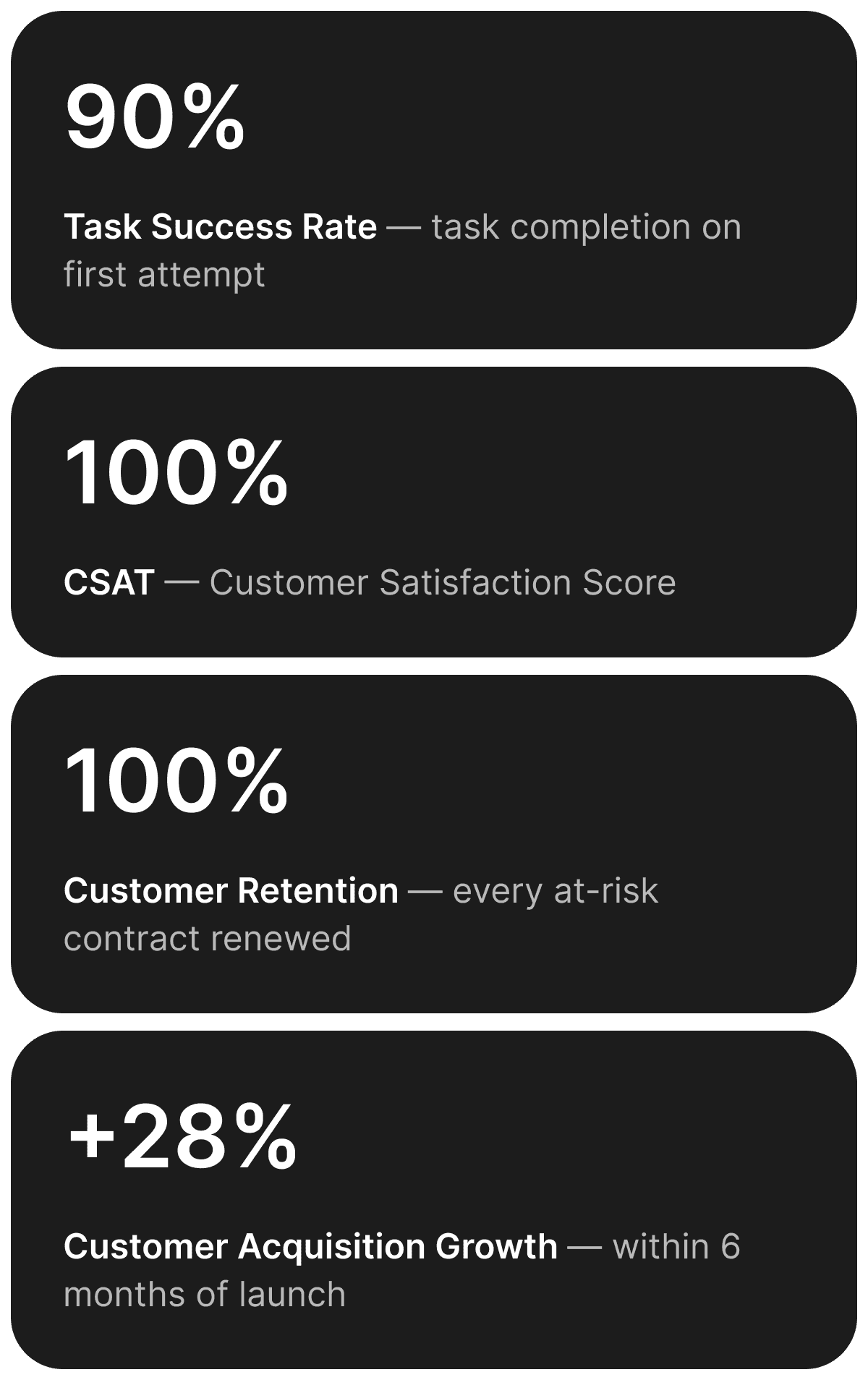
More schools. More districts. More families reached.
That 28% was not just a business metric. It meant new school districts onboarding onto the platform, more administrators reliably reaching parents, and thousands more families getting the updates that keep children informed and safe. A product that had been quietly losing trust became one that other schools actively chose to adopt.